

When the data updates
Scores update once per day, after the US market closes. Everything you see reflects the most recent completed trading session, not live intraday prices. The only live element is the candlestick chart on a ticker’s detail page.
Where the data comes from
The scoring itself is deterministic and rules-based and runs on the same market data every time. It uses no AI, sentiment, or predictions.
What you see
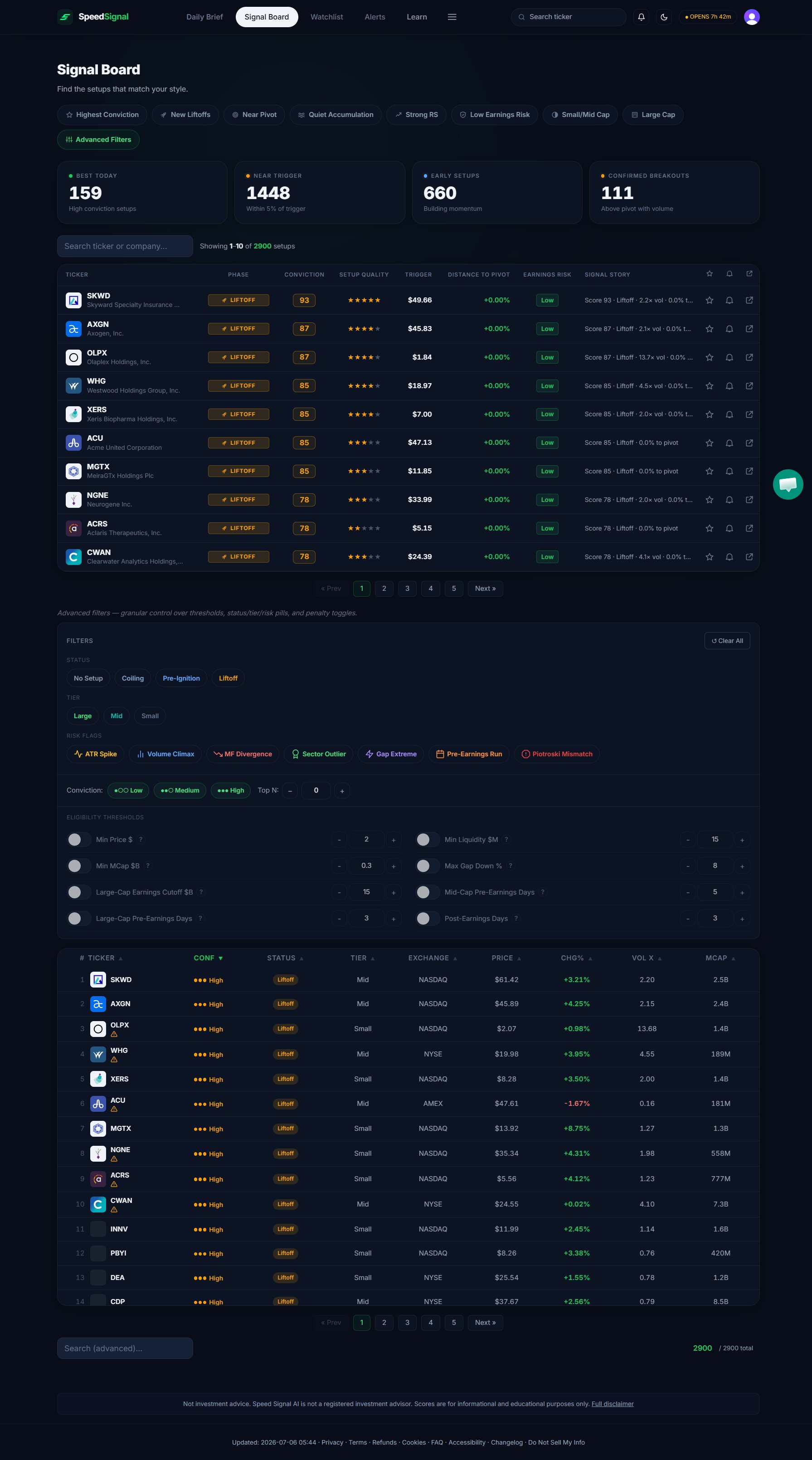
Eligibility filters
Before scoring, a ticker must pass a set of coverage filters so the board stays focused on tradable US equities. The values below are the defaults:Why isn’t my ticker here?
If a name you follow does not appear in the scan, it usually falls into one of these buckets:- It’s outside the covered universe. The scan covers the Russell 3000, S&P 500, and Nasdaq 100 on US exchanges. Tickers outside those indexes (including most non-US listings, OTC names, and funds) are not scanned.
- It didn’t pass an eligibility filter. A price under 300M, thin liquidity, a low free float, a clear downtrend, or a large gap down will keep a ticker out of the scan for that day.
- It’s inside an earnings buffer. Scoring pauses in the window around a confirmed earnings date, so a name can drop out temporarily around its report.
- It’s eligible but in the Below phase. It passed the filters but does not currently meet any active setup criteria, so it may not surface in the views you were looking at. In the Signal Board Advanced Filters drawer, enable the No Setup status pill (the label the Below phase uses in the dashboard tables) to include these names.
Limitations
- Numbers reflect end-of-day data; intraday moves are not captured.
- Historical numbers may differ from live ones because of data revisions.
- Earnings-date availability varies by ticker.
- Small-cap stocks can behave differently from larger companies; the board treats that context separately where relevant.
- The model is optimized for daily-timeframe breakout detection, not other styles or timeframes.
Next steps
How scoring works
The three pillars that turn this data into the 0–100 number.
Signal Board
Adjust the eligibility thresholds and filter the full list.
Phases & Conviction
What the phase labels and Conviction levels mean.
Glossary
Plain-language definitions of every label you see in the app.